


































Key Points
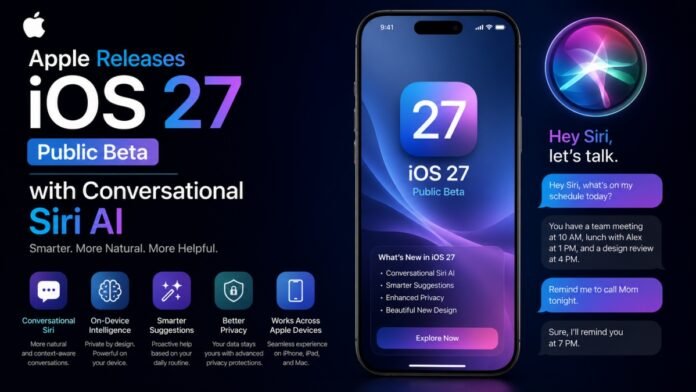
- The iOS 27 public beta is now available to download for all compatible iPhones via the Apple Beta Software Program.
- The update introduces a next-generation Siri AI, featuring conversational history, screen awareness, and multi-step action capabilities.
- App launch speeds are boosted by up to 30 percent, while AirDrop transfers see up to an 80 percent increase in performance.
- Apple refined last year’s Liquid Glass design, adding a customizable transparency slider to improve general readability.
Apple has officially kicked off its public testing phase for iOS 27, making the highly anticipated operating system available to early adopters globally. Unveiled originally at the Worldwide Developers Conference (WWDC) in June, the release of this public beta allows general users to test-drive next-generation features ahead of the software’s stable release this fall. The crown jewel of iOS 27 is a completely reimagined Siri, which represents Apple’s transition from a basic voice-command tool to a highly advanced, conversational AI assistant.
Operating with dedicated layout structures similar to independent chatbots, the new Siri AI features a dedicated interface that stores conversational history. Siri can now comprehend context, manage natural follow-up inquiries, understand on-screen activities via deep system integration, and execute multi-step actions across both native and third-party applications. The software also introduces “Write with Siri,” enabling automated text generation and real-time tone adjustments. While the public beta is broadly compatible with older hardware, the advanced Siri AI and general Apple Intelligence capabilities remain restricted to newer compatible devices, such as the iPhone 15 Pro and later models.
Liquid Glass Refinements and Aesthetic Controls
The public beta also addresses widespread user feedback regarding last year’s major aesthetic overhaul, the Liquid Glass interface. While the glassy design and fluid animations were visually striking, many users complained about readability issues under certain lighting conditions.
In response, Apple has introduced deep customization controls within iOS 27. The interface now features a dedicated settings slider that allows users to manually adjust the transparency levels of UI elements. This is accompanied by refined contrast settings and background readability improvements to ensure a more accessible visual experience across the entire system.
Unprecedented Performance and App Enhancements
Under the hood, Apple has delivered major structural optimizations that significantly boost everyday performance, even on older devices. According to official developer documentation:
- App Launching: Applications launch up to 30 percent faster than on previous operating systems.
- Camera and Photos: Captured photos appear in the Photos app library up to 70 percent faster.
- AirDrop: Data transmission via AirDrop is now up to 80 percent faster.
- Keyboard Performance: The native keyboard loads much quicker, reducing input lag during active typing.
Beyond speed, native applications have received substantial upgrades. Safari can now automatically organize open tabs into cohesive, thematic groups. It also features a new “Notify Me” tool that actively monitors web pages to alert users of price drops or product restocks. Furthermore, the standalone Passwords app has been upgraded to automatically flag weak, compromised credentials and safely replace them, while the Shortcuts app can generate complex custom workflows based on simple, natural language prompts.
How to Install the iOS 27 Public Beta
For users eager to try the software, Apple recommends backing up all personal data before enrolling in the free Apple Beta Software Program.
To install the update, navigate to Settings > General > Software Update on your iPhone. Under the Beta Updates submenu, select iOS 27 Public Beta. The device will then surface the OTA download, allowing you to install the package directly. Note that while the system software is highly stable compared to early developer builds, certain advanced Apple Intelligence features, including the conversational Siri, may operate with an initial waitlist during the early public beta cycle.